also we have 4 exchange Mailbox database as the following :
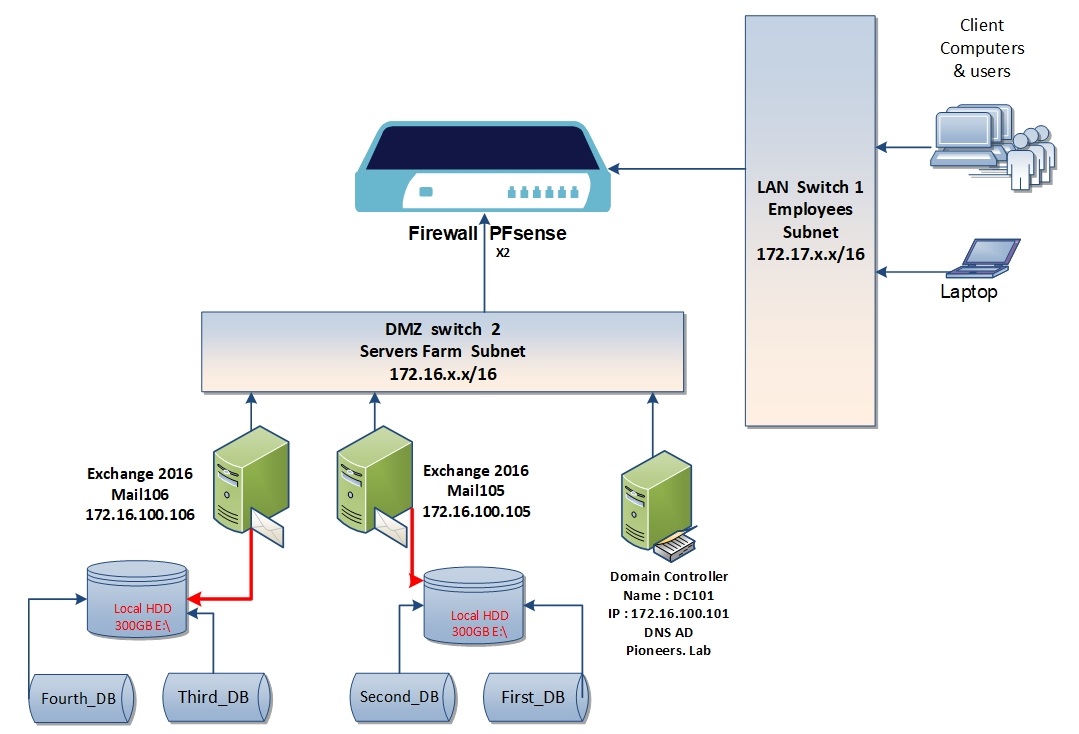
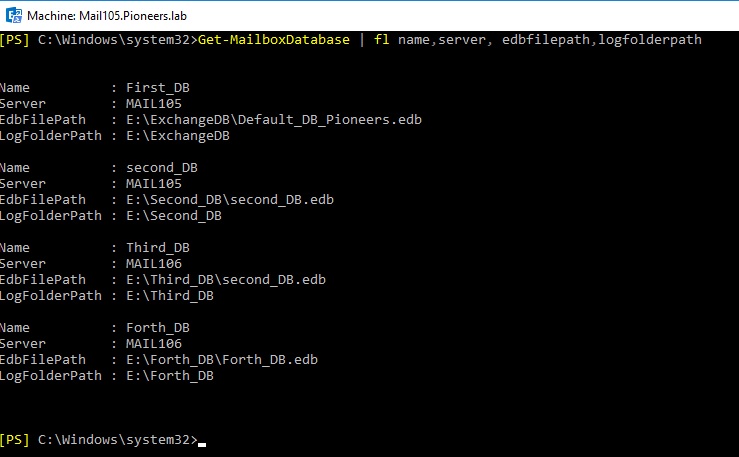
First_DB on server MAIL105 locally at path : E:\ExchangeDB\
second_DB on server MAIL105 locally at path : E:\second_DB \
Third_DB on server MAIL106 locally at path : E:\Third_DB \
Fourth_DB on server MAIL106 locally at path : E:\Fourth_DB
Current Exchange DataBase Diagram
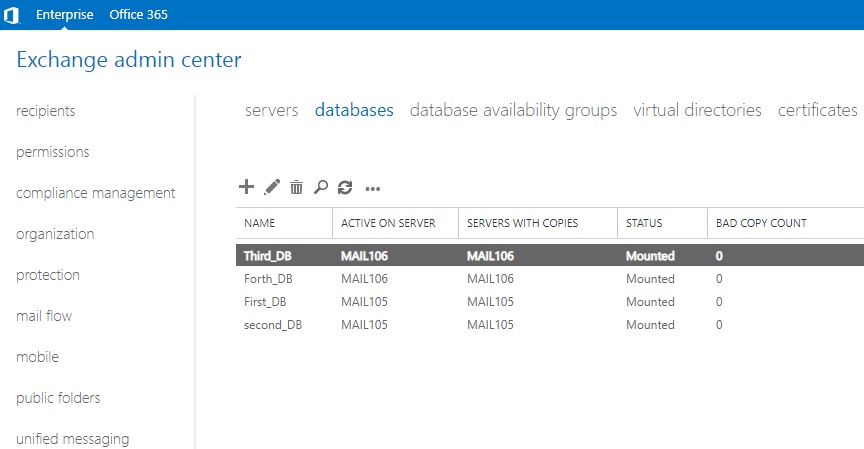
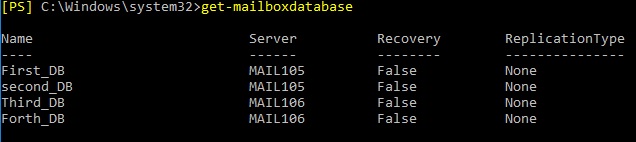
Current Exchange DataBase list
Current Exchange DataBase Details
in current environment we have two exchange server with 4 Mailbox Database , which is good ,
But …..
unfortunately ,
it doesn’t provide any kind of redundancy
for example , if server mail 105 down or second_DB corrupted for any reason ,
then ALL mailbox inside Database will be lost
so ..
the solution is configure both servers as DAG
DAG introduction
A database availability group (DAG) is the base component of the Mailbox server high availability HA
When a DAG is first created it has zero members. A minimum of two members is required for the DAG to provide high availability.
A DAG is a group of up to 16 Mailbox servers that hosts a set of databases and provides automatic database-level recovery from failures that affect individual servers or databases.
When you add members to a DAG the failover clustering components are automatically installed and configured for you.
All servers within a DAG must be running the same version of Exchange. For example, you can’t mix Exchange 2013 servers and Exchange 2016 servers in the same DAG.
Any server in a DAG can host a copy of a mailbox database from any other server in the DAG. When a server is added to a DAG, it works with the other servers in the DAG to provide automatic recovery from failures that affect mailbox databases, such as a disk, server, or network failure