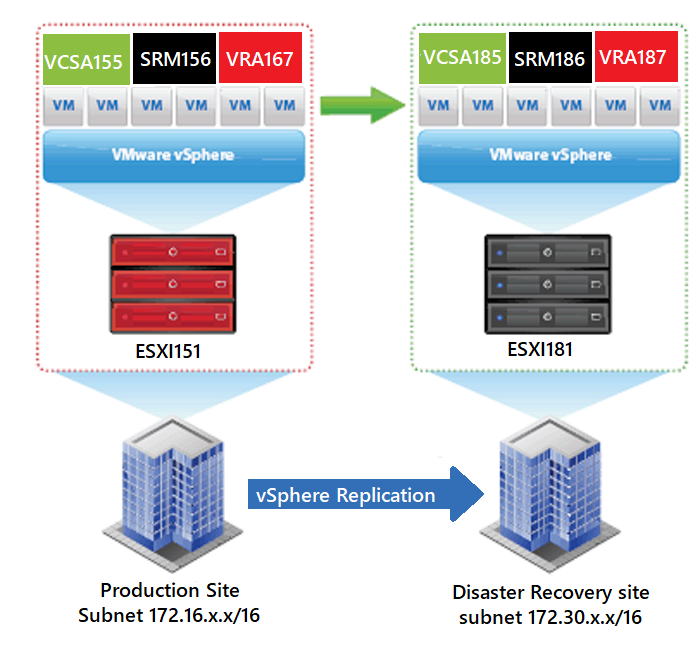
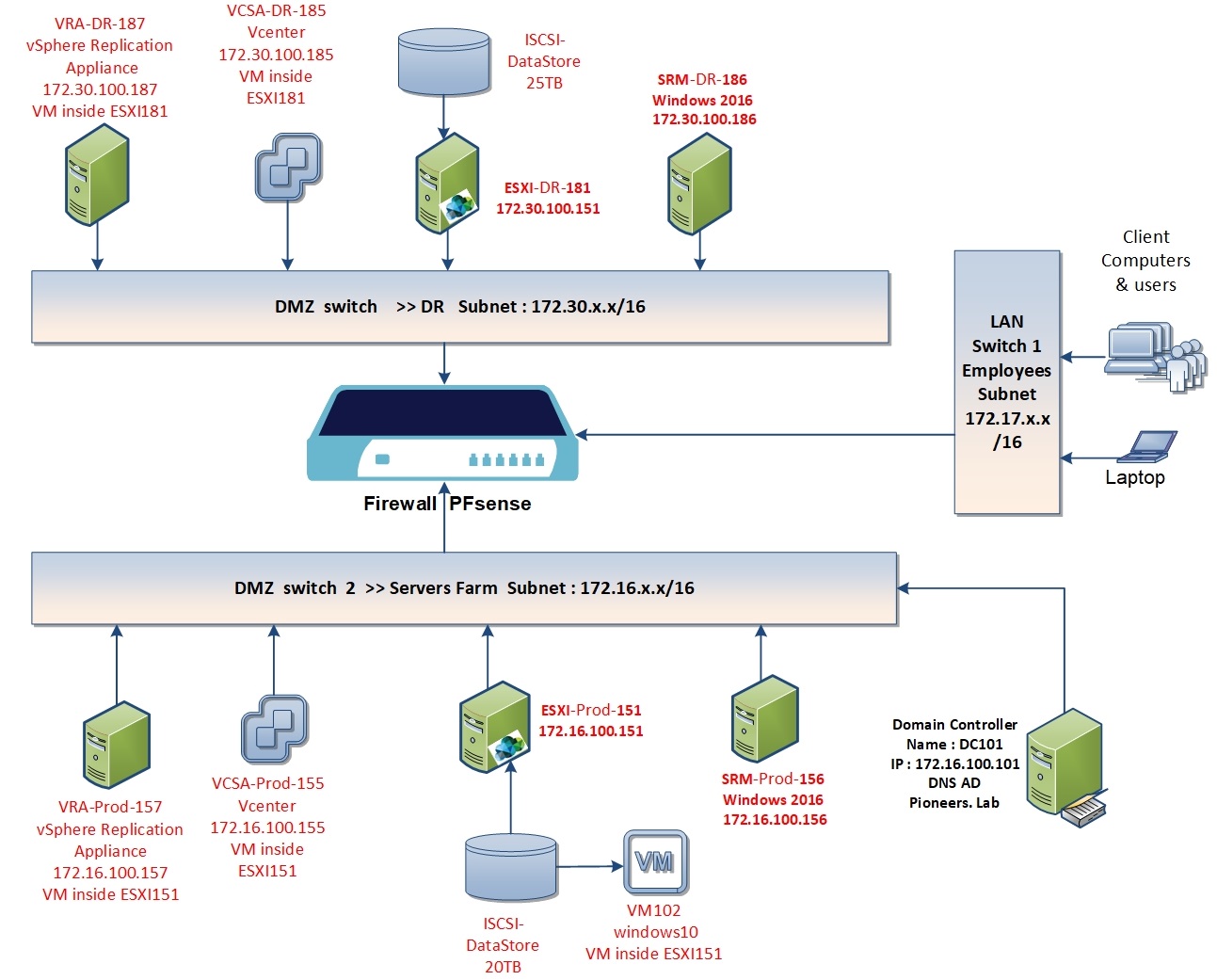
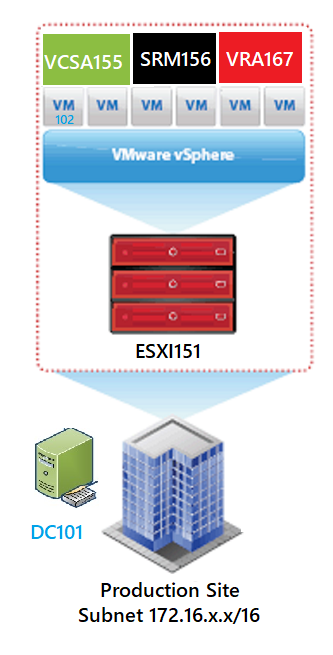
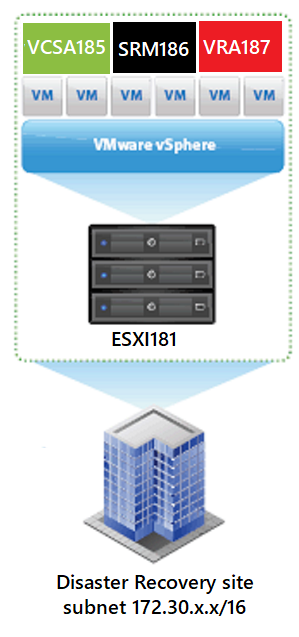
Site Recovery Manager : Network Components SRM May 8, 2020November 18, 2020 maher islaieh introduction in previous article SRM part I : we have got an overview of SRM as concept and it’s feature as well as benefits also we have differentiate between [vSphere Replication ] and [ Storage Replication Adapter ] in this article : we continue to understand network diagram of SRM components with some considerations points SRM Logical Design For Better View > Open Image in different TAB SRM network Diagram SRM network Diagram please have a look to network diagram above we will work to setup all SRM components above in this course step by step Production Site components: ESXI host Name ESXI-Prod-151RAM 32 GB , CPU 16 core [2×8]Management IP address : 172.16.100.151 with default gateway 172.16.100.11Local DataSstore 500GBRemote storage ISCSI DataSstore 20 TB10 NIC distribute within 6 port group networkvCenter Name VCSA-Prod-155RAM 10 GB , CPU 2 Management IP address : 172.16.100.155 with default gateway 172.16.100.11Work as VM inside ESXI151 SRM server Name SRM-Prod-156RAM 4 GB , CPU 2Management IP address : 172.16.100.156 with default gateway 172.16.100.11Windows 2016 serverVSphere replication appliance Name VRA-Prod-157RAM 4 GB , CPU 2Management IP address : 172.16.100.157 with default gateway 172.16.100.11Work as VM inside ESXI151Domain Controller Name DC101RAM 4 GB , CPU 2Management IP address : 172.16.100.101 with default gateway 172.16.100.11Windows 2016 serverAct as domain controller for AD + DNS server Act as NTP server to synchronize time for all network serversVirtual Machine Name VM102RAM 4 GB , CPU 2Management IP address : 172.17.100.171 with default gateway 172.17.100.11Windows 10Run as VM inside ESXI151 and storage ISCSI DataStoresVM102 will protected and synchronized to DR site For Better View > Open Image in different TAB Disaster Recovery Site components: ESXI host Name ESXI-DR-181 RAM 32 GB , CPU 16 core [2×8] Management IP address : 172.16.100.181 with default gateway 172.30.100.11 Local DataSstore 500GB Remote storage ISCSI DataSstore 25 TB 10 NIC distribute within 6 port group network vCenter server Name VCSA-DR-185 RAM 10 GB , CPU 2 Management IP address : 172.30.100.185 with default gateway 172.30.100.11 Work as VM inside ESXI181 SRM server Name SRM-DR-186 RAM 4 GB , CPU 2 Management IP address : 172.30.100.186 with default gateway 172.30.100.11 Windows 2016 server VSphere replication appliance Name VRA-DR-187 RAM 4 GB , CPU 2 Management IP address : 172.30.100.187 with default gateway 172.30.100.11 Work as VM inside ESXI181 For Better View > Open Image in different TAB