Disclaimers are some legal statements that are added at the bottom of each emails that are coming or going out your organization. In Exchange 2016,
disclaimers are configured as transport rules.
Transport rule consists of one or more
conditions,
exceptions
and actions.
Transport rules are applied on Hub Transport or Edge Transport servers by transport agents. In this article , we will configure email disclaimer in exchange 216
configure Disclaimer
Log on to Exchange Admin Center (EAC). https://mail105/ECP
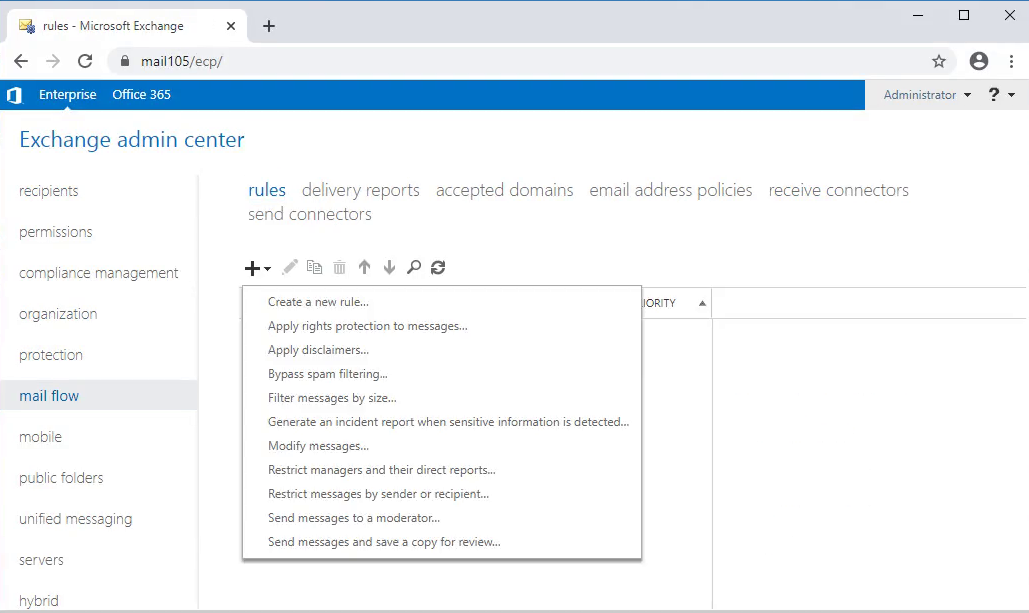
Click mail flow in the features . Select rules tab. ..So you configure all the transport rules in Exchange 2016
open https://mail105/ecp > Mail flow > disclaimer > new
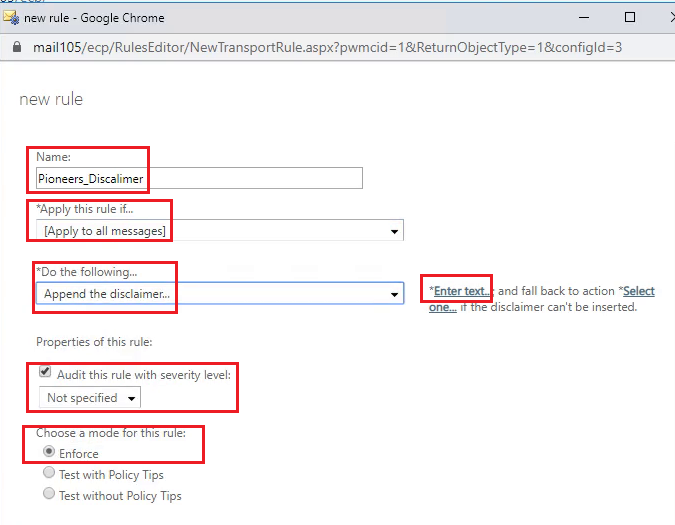
new rule
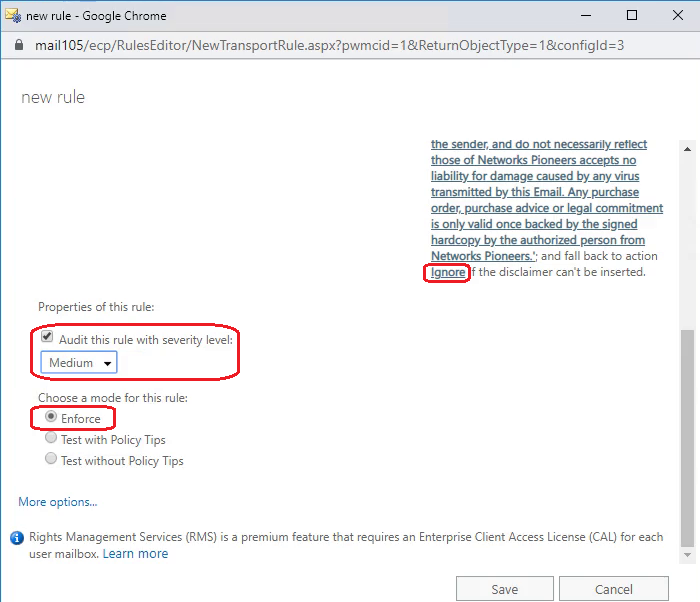
configure parameters in Reds
ignore > Medium > Enforce
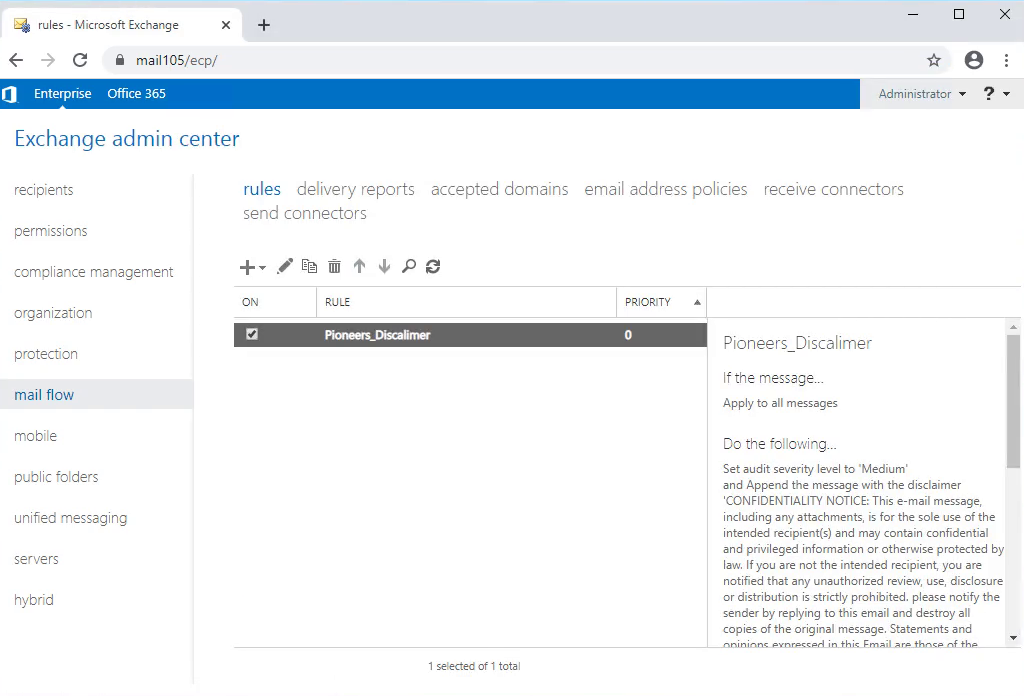
disclaimer DONE
Test Disclaimer
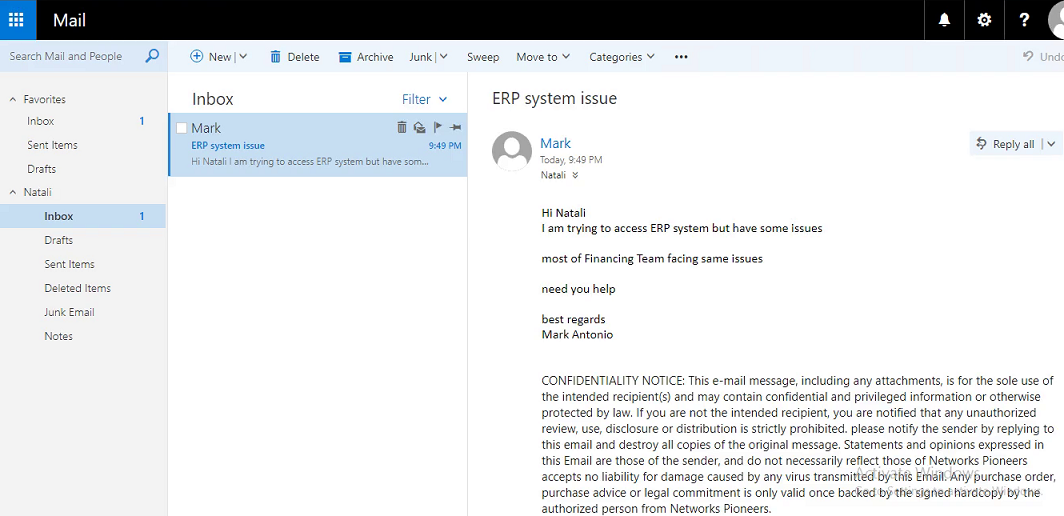
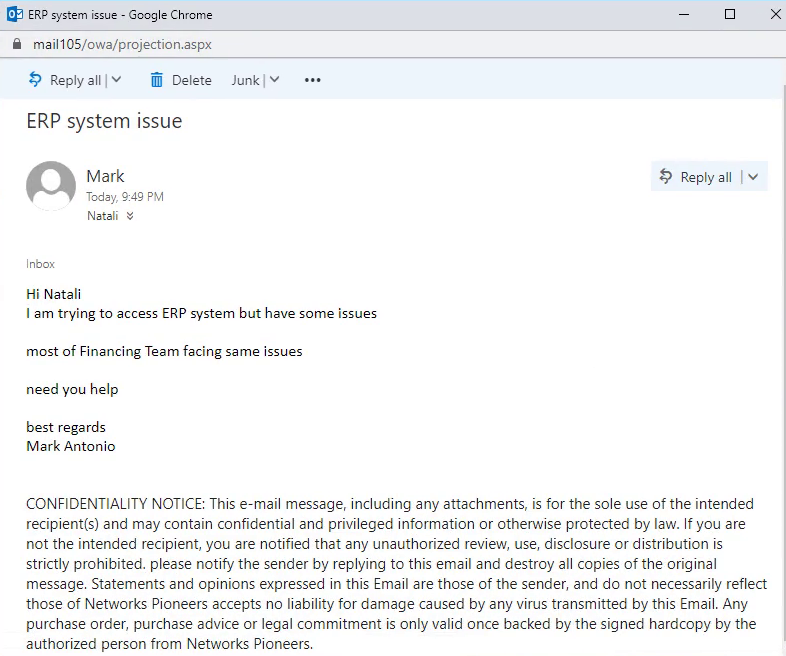
te test disclaimer
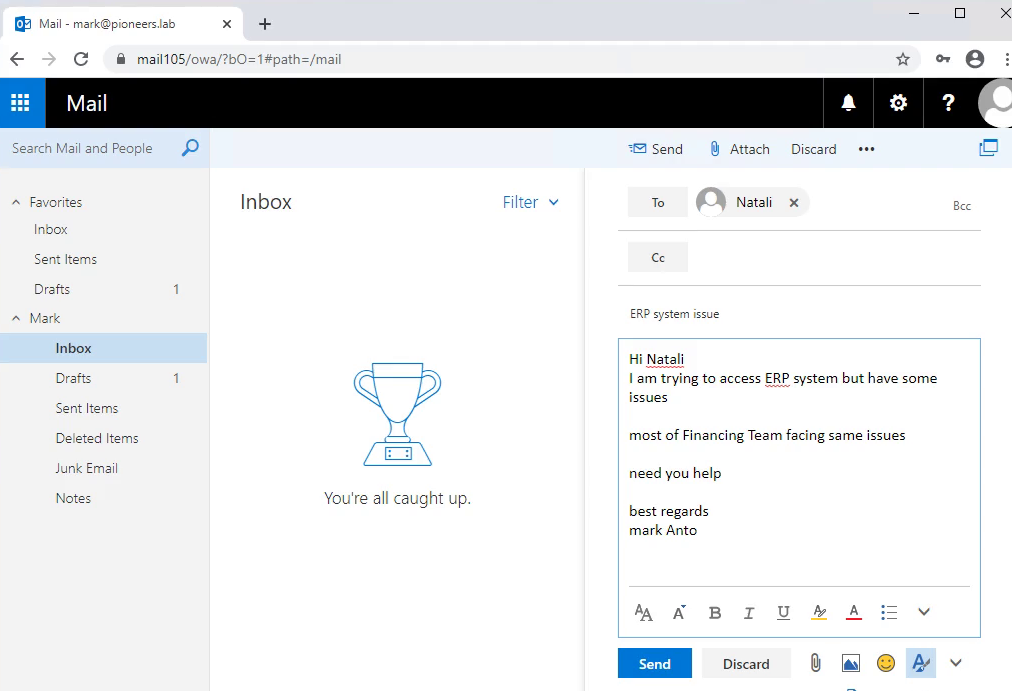
we will login from Mark account [ Finaince department ] to send normal email to Natali [ from IT department ]