ISCSI stand for Internet Small Computer System Interface
iSCSI is an industry standard protocol which allows sharing of block storage over Ethernet. It is a protocol for communicating with I/O devices, chiefly storage devices. iSCSI is an IP-based standard for connecting data storage devices over a network and moving data by carrying SCSI commands over IP networks. In simple words, iSCSI is an interface for communication between initiator and target.
Why ISCSI use TCP/IP ?
There is no packet loss while transferring data, if there is any loss, it is handled by the TCP/IP stack in the operating system.
The iSCSI protocol is a mapping of the SCSI remote procedure invocation model over the TCP protocol.
ISCSI Benefits
iSCSI provides cheap connectivity as compared to fiber channel FC. since there is NO need extra hardware Like HBA or SAN storage
An existing network can be used for iSCSI implementation. for best utilized of remote storage
As iSCSI is used for block storage, it is very fast.
IT administrators don’t need a lot of training on iSCSI storage since it is very easy to understand and implement.
iSCSI is an IP-based protocol. It is FULLY based of TCP/IP and Ethernet.
iSCSI Components
iSCSI Initiator– The client machine within a storage network is an iSCSI Initiator. The initiator can connect to the target by forming a session among them and can send iSCSI commands.
iSCSI Target– The server machine within a storage network is an iSCSI target. An iSCSI target is any machine that receives iSCSI commands from an initiato
ISCSI Network Diagram
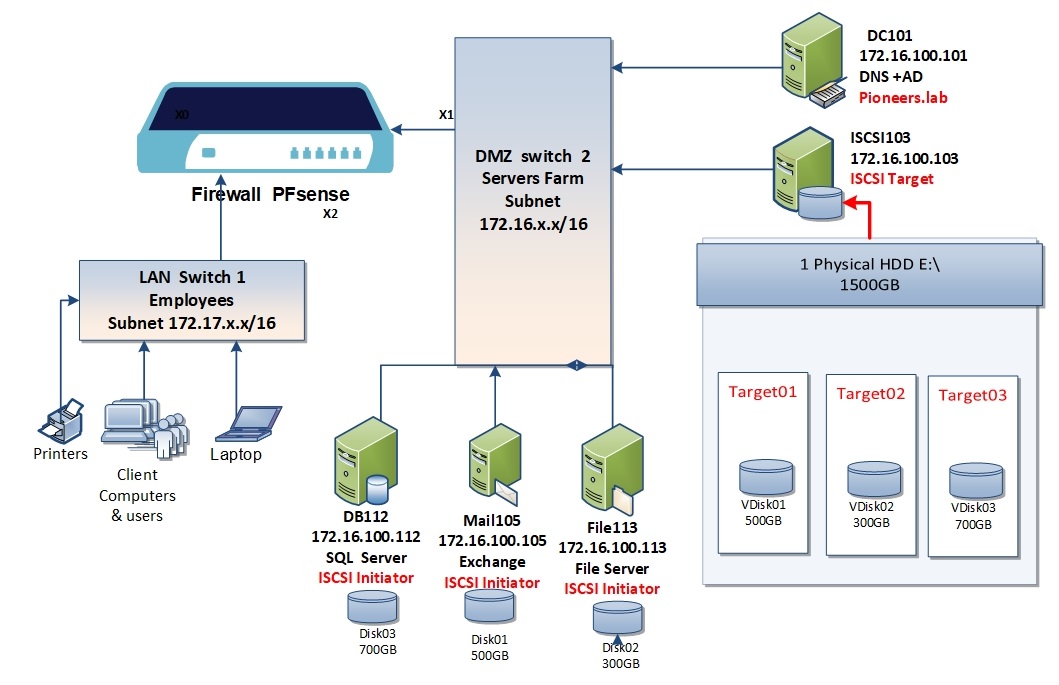
to understand ISCSI – lets to have a look to Pioneers Diagram below
ISCSI LAB Diagram
we have installed windows 2016 server and join it to AD pioneers.lab
server has 2 HDD
first one for operating system
the second one is HDD with 1500 GB which will be used as shared storage for other server in the network [like SQL , Exchange , and File server ]
later we install windows feature [ ISCSI target ]
then each server will use windows feature [ISCSI initiator ] to connect virtual disk on ISCSI103 server as remote storage
[ISCSI initiator ] is pre-installed feature with windows installation – but is disabled
or we can set one virtual disk for all servers at once
OR : we can separate create virtual for each server which is recommended as you see above :
Exchange Server will use VDisk01 with Disk space 500GB
file Server will use VDisk02 with Disk space 300GB
SQL Server will use VDisk03 with Disk space 700GB
TCP/IP use port 3260 for communication between ISCSI initiator and ISCSI target
ISCSI communication between ISCSI103 [ as ISCSI target ] and other server [ as ISCSI Initiator ] is plain but could be encrypted with Protocol CHAP
for more security : ISCSI Target can set which server is Allowed to access Virtual Disk [which called initiator list ]
this is brief introduction about ISCSI , but I am sure you will fully master it after first implementation
prepare server
preparing server is the same steps on any server we did before
install windows 216 server [with Desktop experience
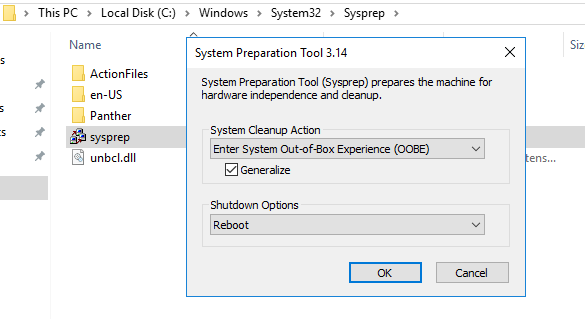
sysprep to create new SID
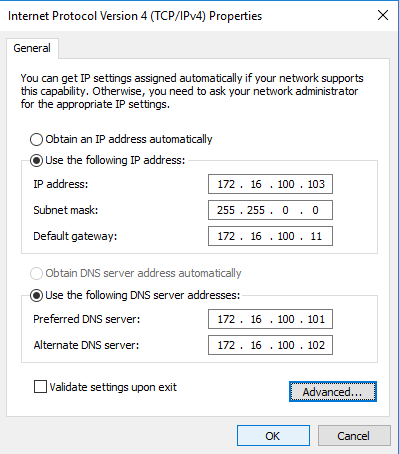
assign static IP address :
IP address : 172.16.100.103 /24
default gateway : 172.16.100.11
DNS : 172.16.100.101 , 172.16.100.102
please disable IPv6
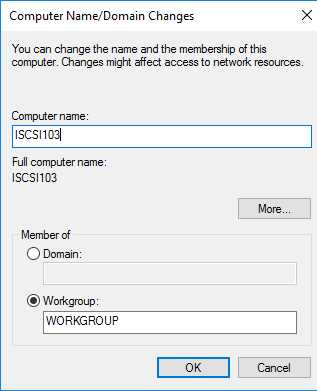
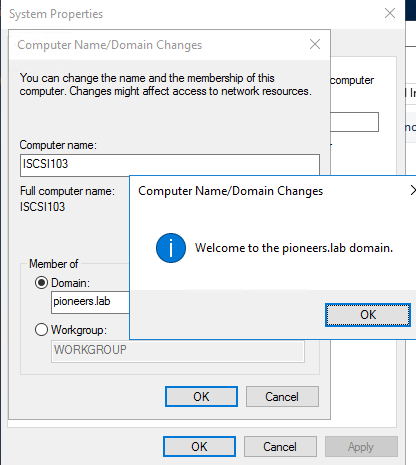
rename computer : ISCSI103 , as per our naming strategy , we are free to have your naming strategy
Join Active Directory : Pioneers.lab
sysprep to get New SID
static IP
join AD Pioneers.lab
For Better View > Open Image in different TAB
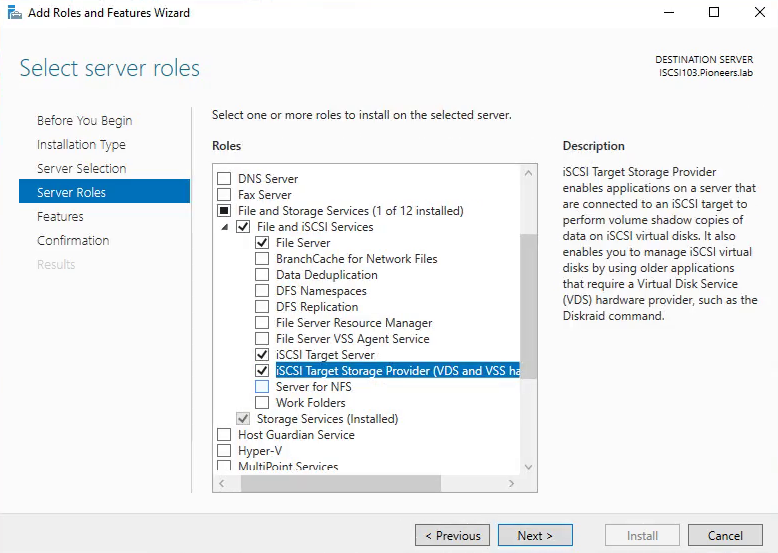
install windows Feature ISCSI Target
the first step is to install windows feature ISCSI target
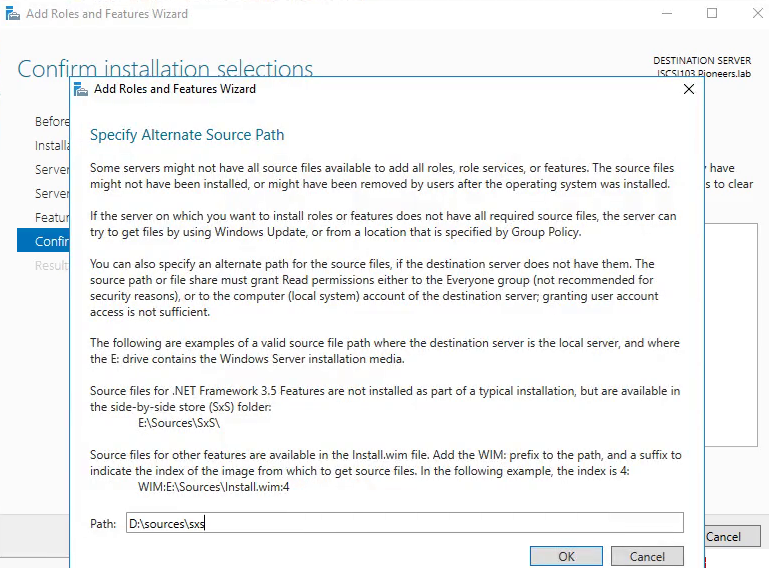
please make sure DVD [ windows 2016 server ] is inserted to accelerate installation process
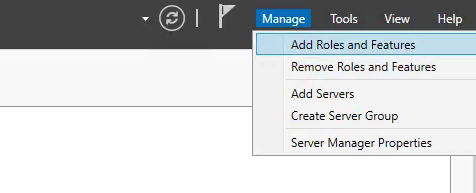
open servermanager.exe
open serve manager
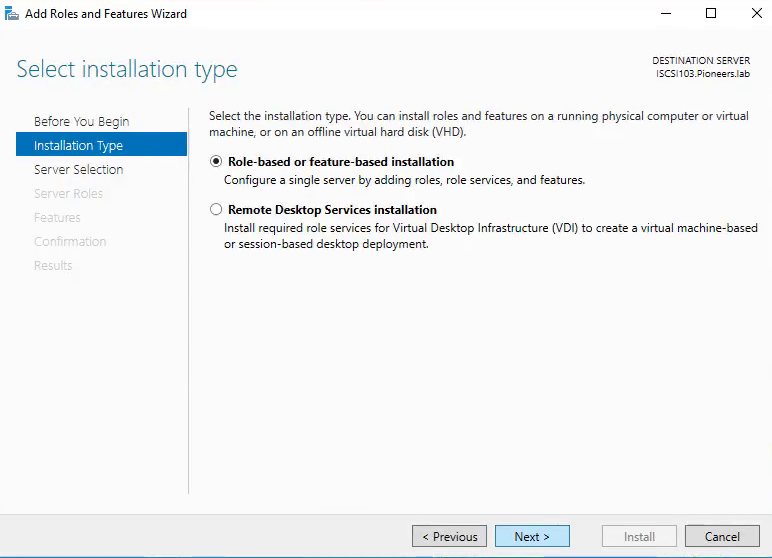
Role based
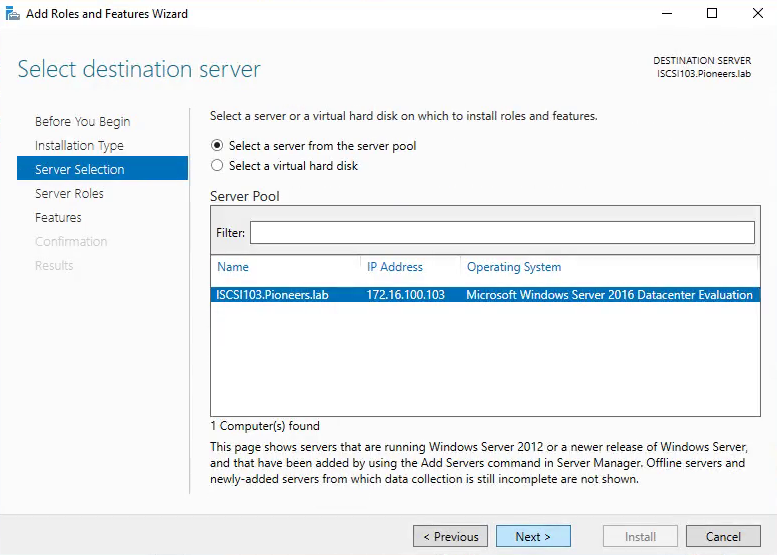
select this server
select ISCSI target
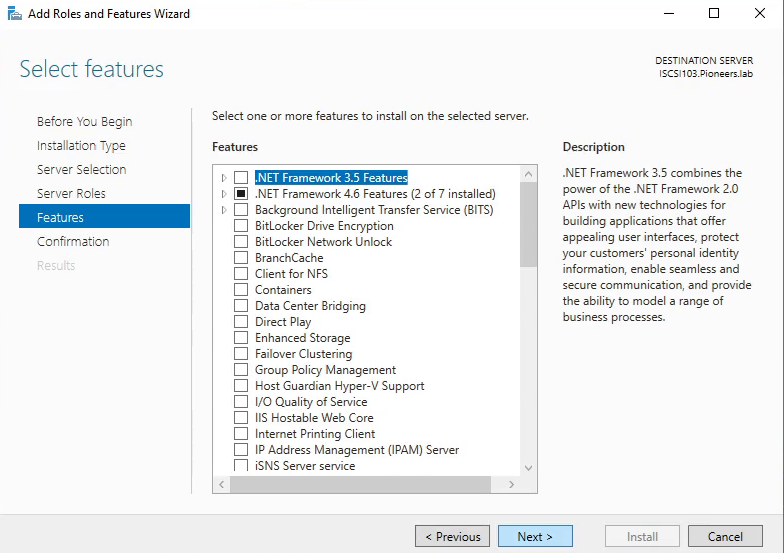
keep default features
make sure Win2016 DVD inserted and select alternative path D:\Sources\sxs
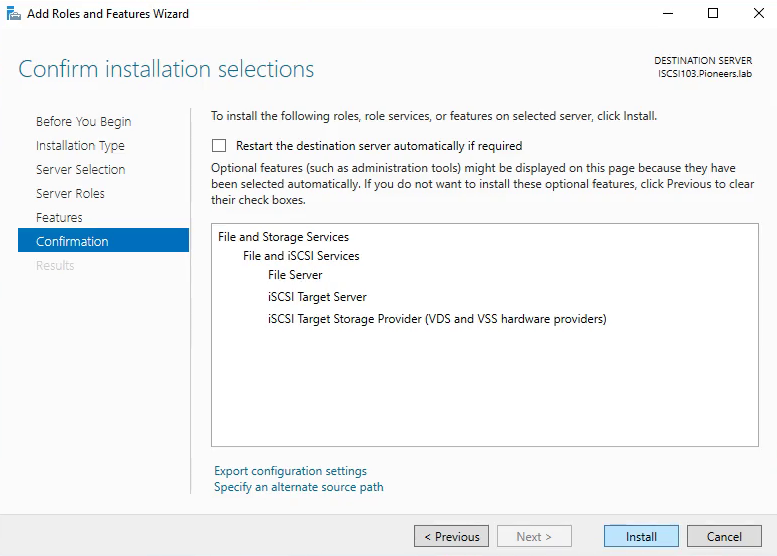
review and install
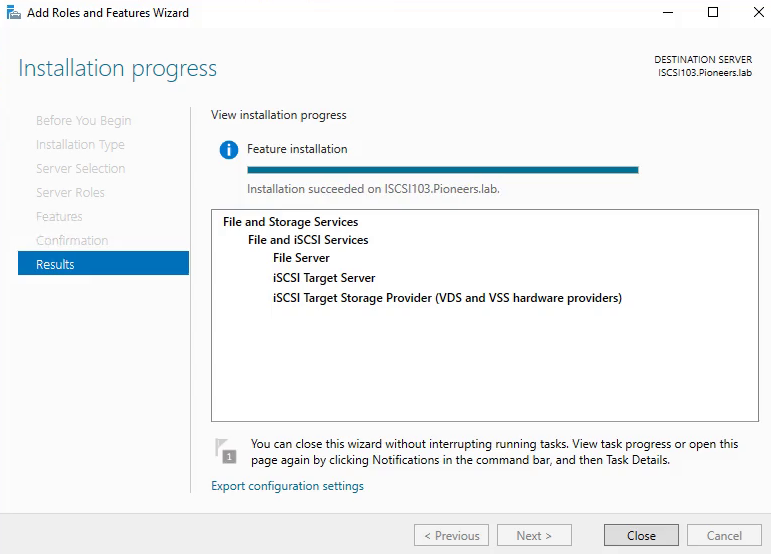
add ISCSI succeeded
NOW ISCSI Target has been installed successfully
next article will discuses HOW to configure ISCSI target on server [ iscsi103 ] and configuring ISCSI initiator on other server[like WEB server and Exchange Server ] with security considerations